The biggest update to Matte yet. We rebuilt the entire rendering engine from the ground up with Metal, added local AI captions, dual capture, motion blur, and a whole lot more.
New Features
- New Metal rendering engine — We rebuilt Matte's preview and export pipeline from scratch on Metal. Everything is now GPU-accelerated, giving you up to 4x faster exports and dramatically smoother real-time preview.
- Motion Blur — Thanks to the new engine you can get smoother, more natural-looking animations and camera movements. There's also optional motion blur on the cursor for a polished, cinematic feel.
- Auto captions — Generate captions automatically using on-device AI transcription powered by Whisper. Everything runs locally on your Mac, nothing is uploaded. Includes a built-in transcript editor for fine-tuning the results, and you can extract captions as individual clips for further tweaking.
- Dual Capture — Record your screen or a specific window and a live iOS device at the same time, in a single take, with an automatic layout to compose both sources.
- Presets — Get started fast with built-in composition and text presets. Save your own presets and reuse them across projects. Find them on the bottom of the sidebar and at the top of the text clip settings.
- Background images — A built-in gallery of backgrounds, including classic macOS wallpapers, ready to drop behind your recordings.
- Text Reflow — Resizable text bounding boxes that let text wrap and flow exactly how you want it.
- Timeline export range — A new range bar on the timeline lets you export just a portion of your project instead of the whole thing.
Improvements
- Faster preview and rendering — Massively faster preview and rendering across the board thanks to the new Metal engine.
- Cleaner timeline UI — Redesigned clips, smoother and more readable audio waveforms. Clip thumbnails are still available by hovering over the clip icon.
- More video tracks — Up to 4 video tracks, up from 3, for more complex compositions.
- Redo support — Alongside undo, you can now step forward through your edit history.
- Ripple insert — Reordering clips now pushes neighbors aside instead of overwriting.
- Separated audio tracks — Detach a clip's audio onto its own track for independent editing.
- Resizable timeline panel — Make it taller or shorter to adapt to your work style.
- Refined macOS styling — Controls now respect your system accent color, with sidebar styling that aligns with native macOS surfaces.
Bug Fixes
- Improved export color fidelity with proper sRGB colorspace metadata.
- Fixed several microphone recording issues, including channel capture and the recording pipeline.
- Fixed muted clips leaking audio at clip boundaries.
- Fixed webcam overlay flicker at clip boundaries.
- Fixed audio start synchronization on playback.
- Stabilized live device discovery during capture startup.
- Improved webcam recordings during simulator capture.
- Fixed text sidebar editor keyboard shortcuts.
- Many other bug fixes around the app.
The biggest update to Matte yet, with multitracks, audio tracks, a non-magnetic timeline, censored regions, timeline hover scrubbing, dramatically faster previews, direct canvas dragging, and a much more capable pipeline.
New Features
- Multitrack Editing — Add up to 3 independent video tracks, each with its own clips, bezels, cursor data, and webcam overlays. Combine up to 3 devices on screen, or mix a device recording with a screen recording.
- Non-Magnetic Timeline — Video clips can now sit anywhere on the timeline with real gaps, making it much easier to build layered edits without everything snapping closed.
- Timeline Hover Scrubbing — Hover over the timeline to preview without moving the playhead. This can be disabled in Settings.
- Censor Regions — Blur or cover sensitive areas inside a clip, with an in-canvas editor for drawing, moving, resizing, and deleting regions.
- Canvas Dragging — Select visible video, webcam, or text clips directly on the canvas and drag them into position with alignment guides.
- Standalone Audio Tracks — Add, trim, split, move, copy, paste, and mute audio-only clips from their own timeline row.
- Track Locking — Lock timeline tracks to prevent accidental edits while working on complex projects.
- Animation Previews — Animation and curve controls now include previews, making it much easier to tune motion before playing the timeline.
- Exponential Ease Control — The Ease curve now has an exponential control, from subtle linear motion to a stronger S-curve.
- Smart Layout for Screen Recordings (Beta) — New automatic layout behavior for screen recordings that adapts to different aspect ratios, especially useful for vertical videos with webcam overlays.
Improvements
- Much Faster Preview — The preview engine has been rebuilt, making playback, scrubbing, resizing, and positioning clips far smoother.
- Better Timeline Editing — Moving, trimming, splitting, snapping, blading, copying, and pasting now work more consistently across video, text, audio, cursor, webcam, and effect clips.
- Split Zoom Transition Durations — Control zoom-in and zoom-out transition timing separately.
- Selectable Timeline Gaps — Gaps between clips can now be selected, resized, and ripple-deleted.
- Cursor Auto Hide — The timing for cursor auto hiding can now be configured from Never to 5 seconds.
- More Text Tracks — You can now have up to 5 text tracks on the timeline.
- New Export Presets — Images and video can now be exported at 1440p or custom sizes.
- High-Zoom Frame Markers — The timeline now shows frame-level markers when zoomed in for more precise edits.
- Portrait Webcam — Webcam overlays can now use a portrait aspect ratio.
- Improved Webcam Handling — Webcam overlays can be selected on the canvas, scale down during zooms, and preserve placement more reliably.
- Improved Cursor Recording — Cursor state recording is more accurate, with better layering and rendering across preview and export.
- Modernized Settings — Settings have been redesigned with a cleaner sidebar layout.
Bug Fixes
- Fixed webcam recording start sync.
- Fixed shadow radius discrepancies between clips of different resolutions.
- Fixed cursor overlay layering in preview.
- Fixed blank frames around trim preview handoff and clip boundaries.
- Fixed UI accent color handling, which should now always be orange.
- Fixed a lot of smaller issues across the editor and export pipeline.
A small patch focused on optional recording post-processing and a couple of timeline and sidebar fixes.
Improvements
- Optional Recording Post-Processing — Post-processing can now be disabled in Settings. Simulator and Device recordings with rotation changes will still always be post-processed.
Bug Fixes
- Fixed the inspector sidebar jittering and crashing the app in macOS Sonoma.
- Fixed the playhead going over the track control panel when the timeline is zoomed in.
A more cinematic look for zoom animations with background blur, a redesigned shadow controller, and a range of interface refinements across the app.
New Features
- Zoom Background Blur — Zoom clips can now blur background images and patterns, making it easier to create a more cinematic look in your videos.
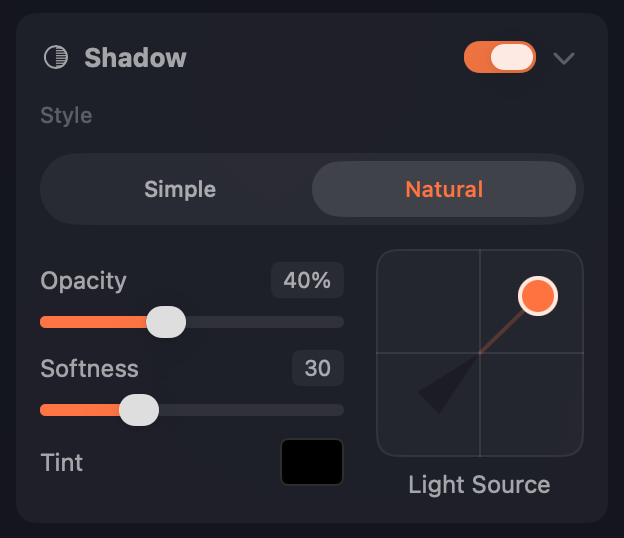
- New Shadow Controller — Redesigned the shadow position and distance controller for more intuitive, precise control.
Improvements
- Updated UI — Lots of small interface refinements across the app for a more consistent macOS feel and better adoption of Liquid Glass styling.
- More Background Image Control — Background images can now be panned and scaled with much more flexibility.
Bug Fixes
- Improved live device detection.
- Rotation knobs can now be clicked to edit values precisely.
Beta support for iPhone Mirroring recordings and a new Cutting Mat background pattern.
New Features
- iPhone Mirroring Support (Beta) — Record the iPhone Mirroring app using Window Recording mode. Matte automatically crops, places device bezels, and applies the correct cursor styling. For best quality, use View → Larger in the iPhone Mirroring app menu before recording.
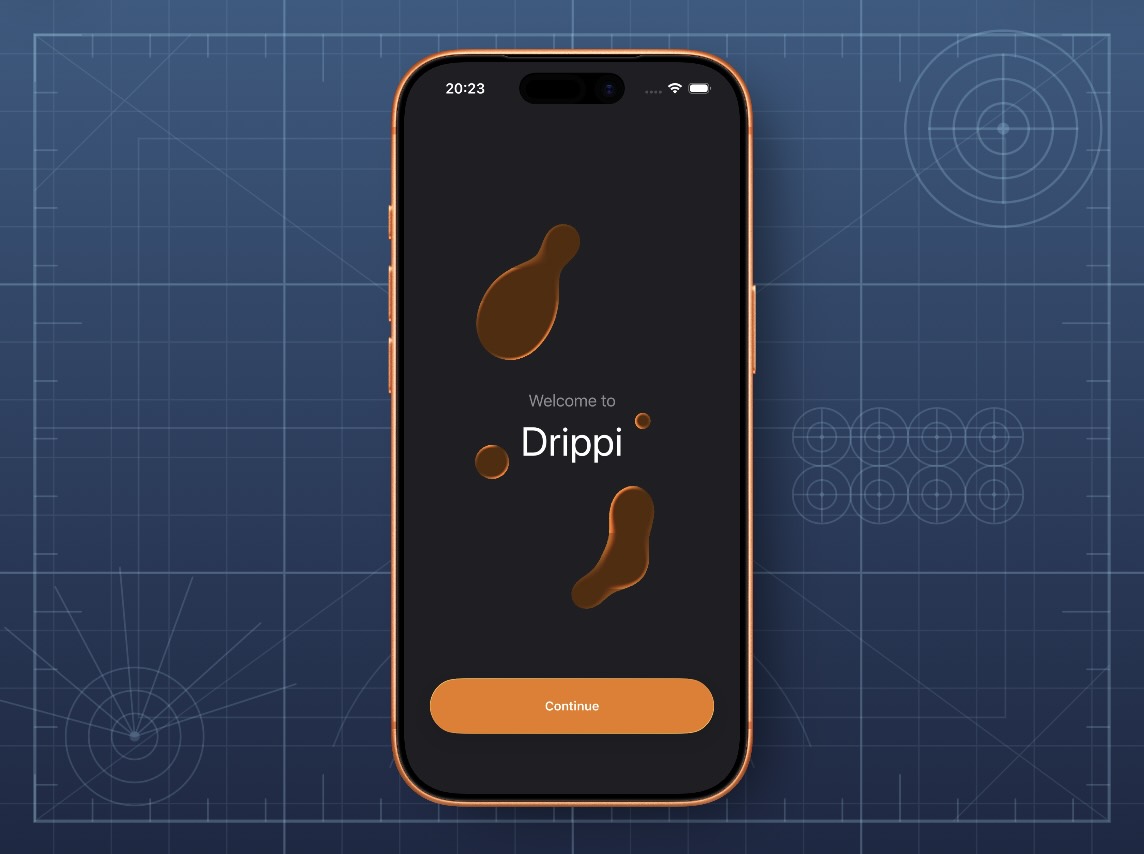
- Cutting Mat Pattern — A new background pattern inspired by cutting mats. Pair it with a dark green or blue gradient for a cool work-in-progress look.
Bug Fixes
- Fixed issues with cursor clipping in exports.
- Fixed an issue where the export window could sometimes get stuck open.
Better support for live device workflows — automatic rotation detection, animated rotation clips, manual swipe gestures, and new menu bar tools for recording and screenshots from devices.
New Features
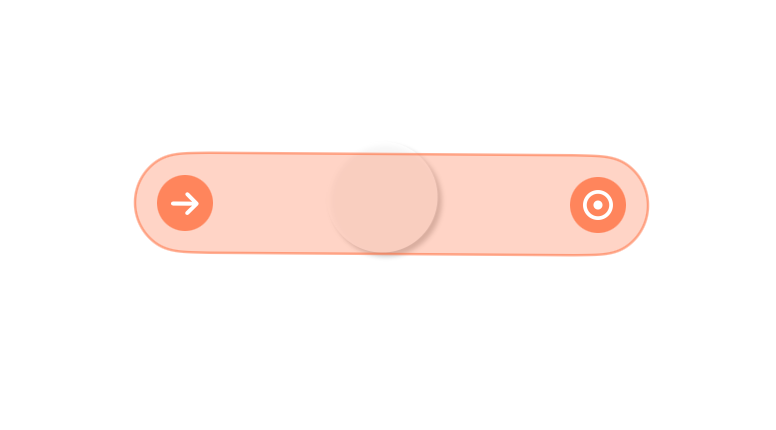
- Manual Swipes — Add visible swipe gestures with fully customizable start and end points for clearer, more polished interaction demos.
- Menu Bar Recording and Screenshots for Live Devices — Start device recordings and capture screenshots from live devices directly from the macOS menu bar. Can be disabled from Settings.

- Auto Rotation Detection — Automatically detect rotation changes when recording live devices and simulators. Rotate your physical device to the left (counterclockwise) for proper orientation.
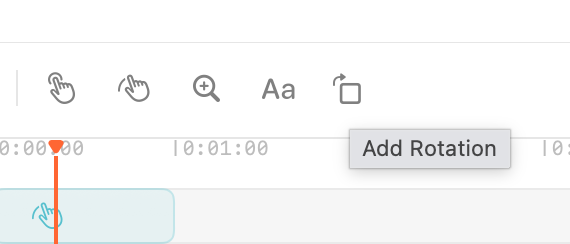
- Rotation Effects in the Timeline — Animate device rotation directly in the timeline with new rotation effect clips, available from the timeline toolbar.
Improvements
- More Cursor Style Controls — Added more control over cursor styling for better-looking recordings and demos.
- Automatic Bezels for Screenshots — Screenshots now automatically include device bezels when appropriate.
- Post-Processing for Live Device and Simulator Recordings — Recordings are now post-processed after capture for improved editing performance.
- Improved live device recording quality.
- Delete buttons in all clip sidebars.
- Editable fields for all sliders.
Bug Fixes
- Fixed an issue where the text layer editing box did not support multiple lines.
- Text layers now default to black text.
- Fixed a squishing issue when cropping clips and applying a device bezel.
- Improved screenshot color space handling.
- Fixed tooltip issues.
- Fixed an issue where multiple selected clips could not be deleted at once.
The biggest editing and workflow update yet — Auto Zoom, landscape support, new Apple device bezels, GIF export, smarter project repair tools, and much more.
New Features
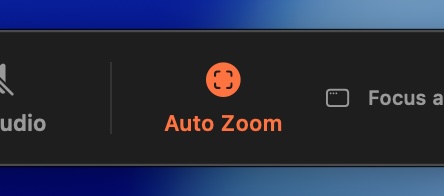
- Auto Zoom — Automatic zooming and panning for simulator, screen, and window recordings.
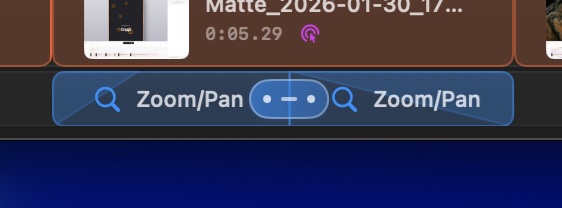
- Chained zoom/pan transitions — Connect zoom/pan clips to easily create more complex camera animations.
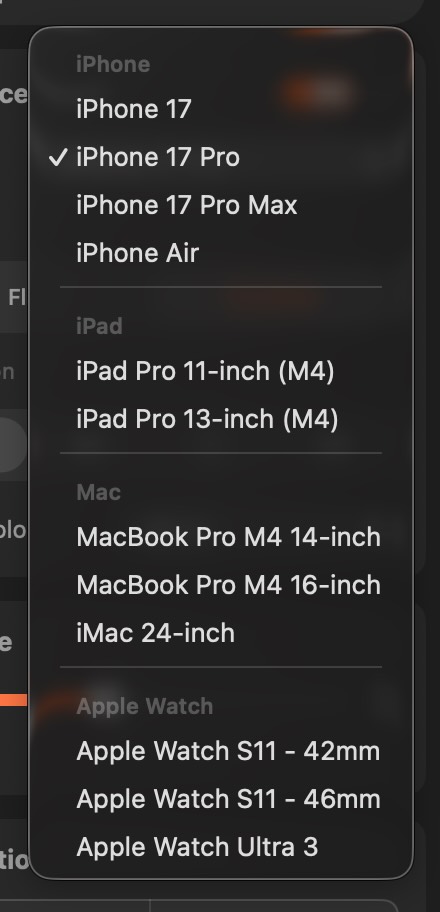
- New device bezels — iPad Pro, MacBook Pro, iMac, and Apple Watch.
- Landscape support — Record iPhone and iPad in landscape, with orientation controls and crop editor rotation.
- Auto-Hide Cursor — Keeps recordings clean by hiding the cursor when idle.
- GIF export — Export directly to GIF from the export panel.
- New menu bar actions — Faster access to common tasks.
- Repair Project — A new window for relinking or removing missing assets in broken projects.
Improvements
- Multi-clip selection — Hold Shift or click-and-drag on the timeline to select multiple clips at once.
- Improved export engine — Higher quality 1080p exports.
- Faster, smoother previews.
- Projects now remember timeline zoom level.
- Swift 6 concurrency fixes.
Bug Fixes
- Fixed waveform display for clips without audio.
- Fixed zero-length split clips that could corrupt projects.
- Added self-healing for some corrupted projects.
- Fixed transparent edge artifacts caused by zoom layers on backgrounds.
- Fixed app window not coming to the foreground on launch.
- Plus many smaller fixes and polish throughout the app.
Bug fixing after the large 1.2 update.
Improvements
- New "Lossless" export quality preset — A top-tier quality option for when file size doesn't matter.
- Settings layout — Cleaner, more consistent appearance across tabs. Temp recordings section now covers all categories including screenshots.
Bug Fixes
- Export quality settings — Low, Medium, and High presets were all producing the same file size due to a bitrate cap overriding the quality parameter.
- Timeline not resetting on project switch — Opening a different project could show stale clips from the previous one.
- Opening .matte files from Finder — Double-clicking or dragging a project onto the app icon wasn't working.
- File > New / File > Open — These menu actions didn't route correctly when a project was already open.
- Screen recording permission prompt on macOS 15+ — The permission dialog was firing unexpectedly when opening Settings.
Some of the most requested features are finally here, turning Matte into a full-fledged screen recording app.
New Features
- Full Screen Recording — Capture your entire screen directly from Matte.
- Webcam and Microphone Recordings — Add a webcam feed on top of your recordings. Customize its style and position.
- Clip Speed Control — Right-click any video clip to adjust playback speed, up to 800%.
- Split Clips — Press ⌘B to split at the playhead, or right-click to split at the mouse position.
- Copy, Cut & Paste Clips — Use standard keyboard shortcuts (⌘C, ⌘X, ⌘V) to rearrange or duplicate clips on the timeline.
- New Recording Bar — A compact, movable recording bar replaces the old recording window. Includes a larger live device preview.
Improvements
- Cursor and webcam clips are now unified with video clips — settings live in their respective sidebar tabs.
- Smarter clip defaults for new projects: better aspect ratio matching, improved shadow and cursor presets.
- Better text layer alignment and rotation support.
- Text layers can be nudged with arrow keys. Hold Shift to move in 5px increments.
- Window size and position are now saved between sessions.
- Unused tracks are automatically hidden to keep the timeline clean.
- Tweaked export bitrates for better output quality.
- Improved RAM usage and faster rendering.
- Significant preview engine improvements.
Bug Fixes
- Fixed images not displaying on the canvas.
- Fixed color space issues with window recording.
- Fixed short clips with no movement failing on export.
- Various other small fixes.
Hotfix for window recording clip playback, plus a couple of nice improvements.
Improvements
- Device bezel, shadow and 9:16 aspect ratio is now auto-added after a recording or video import, matching the device that was used.
- More timeline performance and UX improvements, especially when moving or trimming clips.
Bug Fixes
- Fixed black frames appearing in short clips.
- Fixed images not respecting alpha on final render.
- Fixed cursor overlay alignment in final renders when zoomed in.
- Cursor no longer changes opacity on tap, tweaked opacity values.
- Fixed text alignment guides when zoomed in.
- Fixed stroke not scaling up properly in preview.
- Spring and Bouncy OUT animations weirdness fixed. Curves improved.
Text layers, clip animations, a faster preview engine, and a much smoother editing flow.
New Features
- Text Layers (beta) — Up to 3 tracks, full animation system, plus in-canvas alignment guides.
- Video Clip IN/OUT Animations — Animate clips entering or leaving, with the same curve system used across the app.
- Tinted Cursor + Shadow — More expressive cursor styling.
- Custom Color Picker — RGB + HEX support.
- Snapshot Button — One-click sharing.
- App Store Presets — New canvas and export presets.
- Simulator Audio Recording
Improvements
- Preview Playback Rewrite — Noticeably faster and more stable.
- Clip Position + Scale — Move and resize clips freely on the canvas.
- Sidebar Redesign — Cleaner, more focused editing flow.
- Unified Export Window — Everything in one place.
- Animation Curves Rebuilt — Smoother, more natural motion.
- Zoom Parallax — Background now moves at half-speed for depth.
- Cursor Tap Feel — Taps press down instead of popping up.
- Per-Clip Audio Controls
- Dark Theme Refinements
Bug Fixes
- Fixed Clear Background Image not responding.
- Fixed "Save As" breaking the original project.
- Fixed export errors after re-linking missing media.
- Numerous smaller fixes across the app.
The first public release of Matte.
Features
- Record iOS devices (physical via USB or simulators).
- Add beautiful device bezels and backgrounds.
- Cursor tracking with customizable designs.
- Background patterns, gradients, and image support.
- Export to H.264, HEVC, or ProRes.